How Do I Look Up a Pokémon by Name or Number?
You look up a Pokémon by typing its name or national Pokédex number into the search bar and pressing Enter.
Instant Name and Number Search
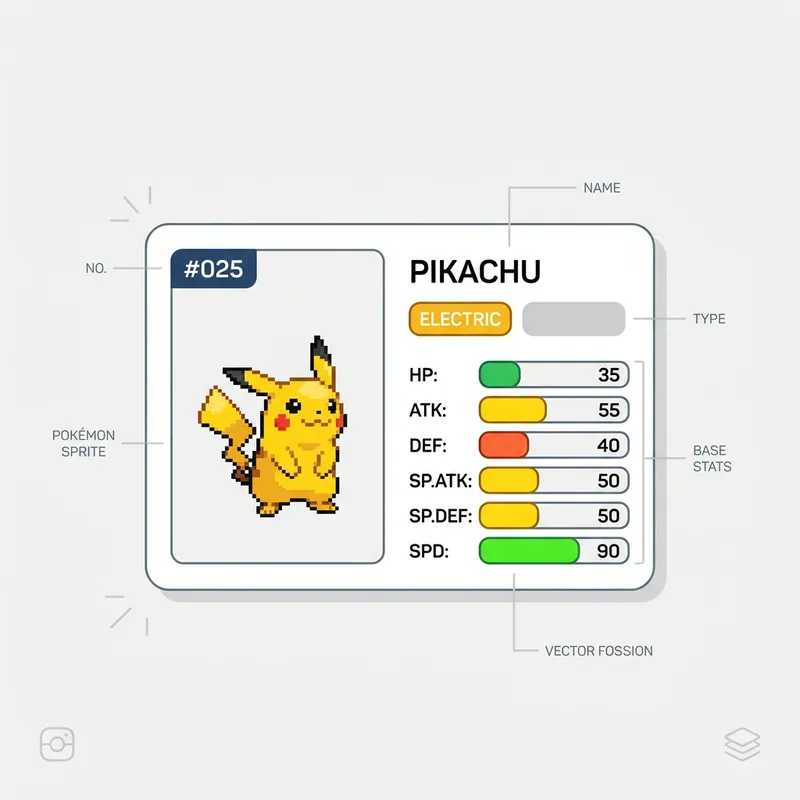
Type "pikachu" or "25" and the tool pulls up the full stat card in under a second. It supports all 1,025 species from Bulbasaur (#0001) through Pecharunt (#1025), covering every generation released so far. Misspelled names return a clear error message so you can correct your search without confusion when you look up a Pokémon by name or number.
Random Discovery Mode
Click the shuffle button to land on a completely random species. This is a great way to discover obscure monsters from Generation 5 or Generation 8 that you might never have encountered during a normal playthrough.
What Do Base Stats Mean in Pokémon?
Base stats are the 6 fixed numerical values (HP, Attack, Defense, Special Attack, Special Defense, and Speed) that define a Pokémon's raw combat potential before any leveling or EV training.
Reading the Stat Bars
The tool displays each base stat as a color-coded horizontal bar. Stats above 100 appear green, stats between 60 and 100 show yellow, and anything below 60 turns red. This makes it easy to spot a monster's strengths and weaknesses at a single glance without memorizing numbers.
Total Base Stat (BST) Comparisons
The total at the bottom sums all 6 base stats in Pokémon into one number. Fully evolved starters typically land around 530 BST, while legendaries push past 680. Competitive players use this number as a quick tier indicator — anything above 500 is generally viable for ranked battles.
How Do Pokémon Types Affect Battle Strategy?
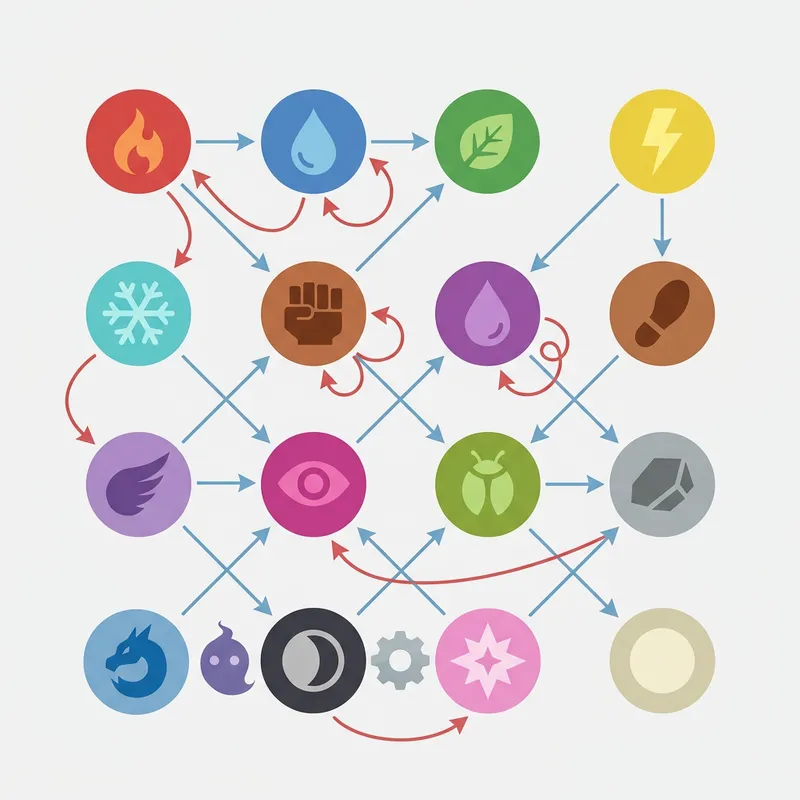
Pokémon types determine which attacks deal double damage, half damage, or zero damage, making type matchups the single most important factor in competitive battles.
Type Badge Display
Each monster's type badges appear directly below the name with distinct colors. Dual-type monsters show both badges, giving you an instant visual read on their defensive profile. There are 18 distinct types in total, creating over 300 possible dual-type combinations that affect battle strategy.
Pairing Types with Stats
A Water-type monster with high Special Attack and low Speed plays very differently from a Water-type with high Speed and low defenses. Checking both Pokémon types and stat distributions together helps you predict exactly how a monster fits into your team before committing to it.
Step-by-Step Instructions
- 1Open the Pokémon Pokédex tool in your browser.
- 2Type a Pokémon name (like "charizard") or Pokédex number (like "6") into the search bar.
- 3Press Enter or click the search icon to load the stat card.
- 4Review the base stat bars to check HP, Attack, Defense, Special Attack, Special Defense, and Speed.
- 5Check the type badges below the name for defensive and offensive matchup planning.
- 6Look at the abilities section to see standard and hidden abilities marked with (HA).
- 7Click the shuffle button to discover a random Pokémon.
- 8Use the height and weight data for size comparisons and trivia.