How to Use the 2048 Tiles Generator
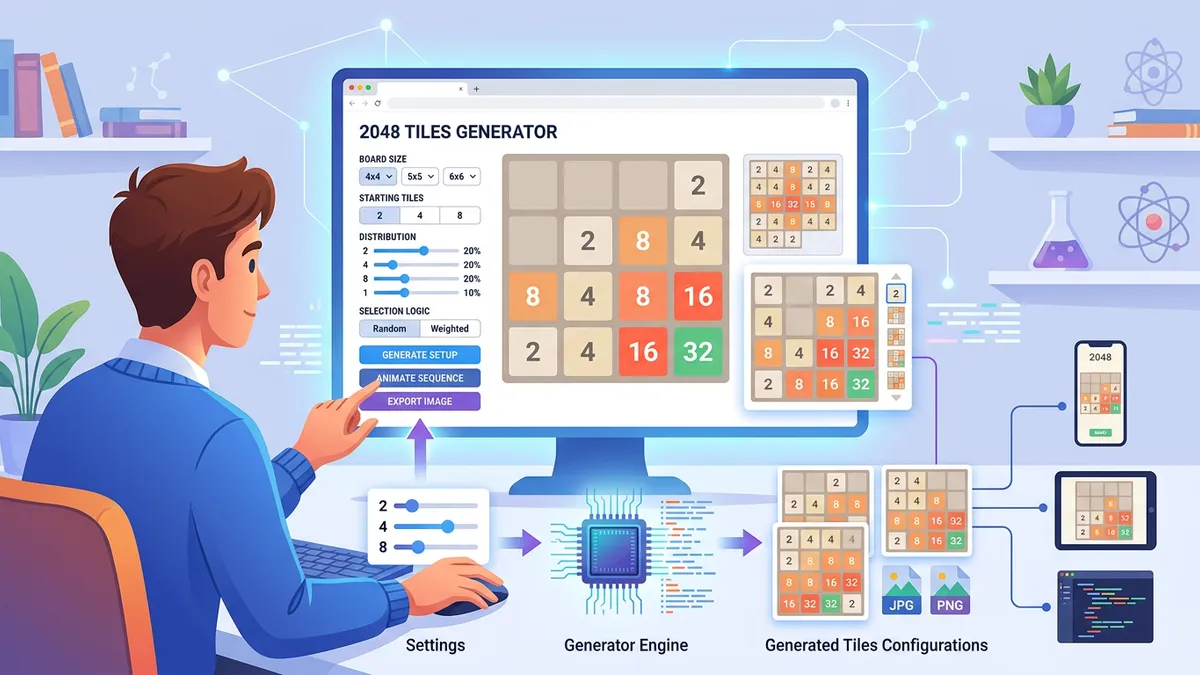
The tool loads instantly with a randomized 4×4 board. Every control is in the left sidebar, and the grid updates in real time.
Choose Your Mode
Three modes cover every use case. Random mode generates weighted boards where lower tiles (2, 4, 8) appear more often than higher tiles — mimicking realistic game states. Manual mode lets you click any cell to place a selected tile value, building custom board states for screenshots, tutorials, or challenges. Play mode starts a real 2048 game with keyboard (Arrow keys or WASD) and swipe support.
Select Grid Size
The original 2048 by Gabriele Cirulli uses a 4×4 grid, but our tool supports five sizes: 3×3 (harder — only 9 cells), 4×4 (classic), 5×5 (more forgiving), 6×6 (strategic), and 8×8 (relaxed, 64 cells). According to mathematical analyses by the AI research group at the University of Tübingen, the probability of reaching the 2048 tile on a 4×4 grid with random play is approximately 0.1% — larger grids make the game significantly easier (Szubert & Jaśkowski, IEEE Transactions on Computational Intelligence and AI in Games, 2014).
Customize Tile Labels
Toggle Custom Labels to replace number values with any text — up to 8 characters per tile. Popular uses include creating 2048 memes with emoji names, study flashcards where tile values represent vocabulary words, and branded challenges where tiles show product names. The custom labels carry through to PNG export.
Export and Share
- Download PNG — Renders the exact board to a canvas element and exports a pixel-perfect PNG image with proper rounded corners and the authentic 2048 color palette. The exported image uses 120px cells — suitable for social media, thumbnails, and print.
- Copy Board — Formats the grid as pipe-separated text, ready to paste in Discord, Reddit, or any chat platform.
Playing 2048 — Strategy Guide and Tips
Our Play mode implements the complete 2048 game logic with a few quality-of-life additions: unlimited undo, multiple grid sizes, and real-time statistics.
The Corner Strategy
The most well-known 2048 strategy, documented extensively on the /r/2048 subreddit (300,000+ members), involves keeping your highest tile in one corner. Professional player and AI researcher Matt Overlan demonstrated that the corner strategy increases the average score by roughly 40% compared to random play (YouTube, 2014, 2.1M views).
Here's how it works: pick a corner (bottom-left is most common for right-handed players), always move toward that corner first, and avoid moving in the direction that would dislodge your highest tile. If your highest tile is in the bottom-left, prioritize Down and Left moves.
The Snake Pattern
Advanced players use a snake or zigzag pattern: fill the bottom row left-to-right with descending values, then the second row right-to-left, and so on. This creates a monotonically decreasing chain that enables cascading merges. According to an analysis by Yun Nie at Stanford University, the snake pattern is theoretically optimal for maximizing tile value in deterministic variants (Stanford CS221 Course Report, 2015).
Grid Size Strategy Differences
| Grid Size | Difficulty | Strategy Notes |
|---|---|---|
| 3×3 | Very Hard | Only 9 cells — reaching 256 is a challenge. Every move matters. |
| 4×4 | Classic | The original format. Corner strategy works well here. |
| 5×5 | Moderate | Reaching 2048 becomes much more likely — about 30% with good play. |
| 6×6 | Easy | Room for mistakes. Reaching 4096 becomes the real challenge. |
| 8×8 | Relaxed | 64 cells allow extended play — reaching 8192+ is possible. |
The Undo Advantage
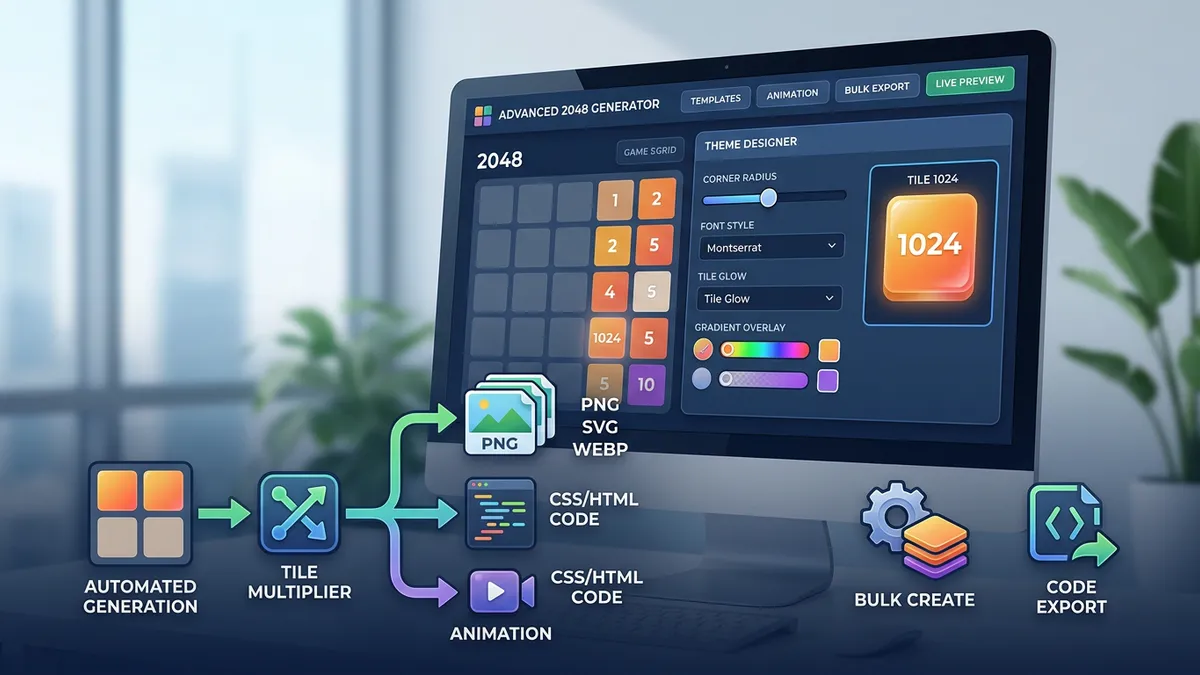
Our Play mode includes unlimited undo — a feature absent from the original 2048 by Gabriele Cirulli. This is intentional: undo lets you experiment with different strategies, learn from mistakes, and practice specific patterns without restarting. Think of it as a training mode rather than a competitive feature.
The Mathematics Behind 2048
2048 is a sliding block puzzle grounded in binary mathematics. Every tile value is a power of 2: 2¹, 2², 2³, ..., 2¹¹ (2048). Understanding this structure reveals why certain strategies work.
Merge Mechanics and Binary Trees
Each merge doubles the tile value, which in binary arithmetic is a left-shift operation. Two 2-tiles merge into a 4 (2¹ + 2¹ = 2²), two 4-tiles into an 8 (2² + 2² = 2³), and so on. To reach the 2048 tile, you need exactly 11 merge levels — or equivalently, 1,024 individual 2-tiles merged into one (since 2¹¹ = 2048). With 90% of spawned tiles being 2s and 10% being 4s, this requires roughly 900–1,000 successful tile spawns.
Game State Space
A 4×4 grid with tiles up to 2048 has approximately 2.6 × 10¹⁷ possible states. Researchers at the University of Tübingen used expectimax search trees to compute that an AI agent can reach the 2048 tile approximately 99.98% of the time on a 4×4 grid (Szubert & Jaśkowski, IEEE TCIAIG, 2014). The theoretical maximum tile on a 4×4 grid is 131,072 (2¹⁷), though reaching it requires extraordinary luck with tile spawns.
Score Calculation
Your score increases by the merged value each time two tiles combine. Merging two 512s gives 1,024 points — not 512 + 512. This means reaching 2048 by the most efficient path yields a minimum score of approximately 20,000 points. Scores above 50,000 indicate strong play with multiple high-value merges beyond the initial 2048 tile.
Creative Uses for the 2048 Board Generator
Beyond gameplay, 2048 boards have become a versatile visual format across social media, education, and content creation.
Content Creation and Thumbnails
YouTube creators regularly use custom 2048 boards as video thumbnails — the distinctive tile colors are immediately recognizable. Channels like CodeBullet (3.8M subscribers) and SethBling (4.2M subscribers) have produced viral videos using custom 2048 variants. Our PNG export generates images at the exact resolution needed for YouTube thumbnails (1280×720 when cropped).
Educational Flashcards
Teachers use custom-labeled 2048 boards as flashcard exercises. Replace tile numbers with vocabulary words, historical dates, or math formulas. Students merge tiles by matching related concepts — a gamification technique shown to improve retention by 12-25% in a meta-analysis by Hamari et al. (International Journal of Information Management, 2016).
Memes and Social Sharing
Custom text tiles enable 2048-style memes — rank anything from movies to food by replacing tile values with names. The format works particularly well on Twitter/X, Reddit, and Discord, where the compact grid layout renders cleanly in embedded images.
Game Design Prototyping
Indie game developers use 2048 board generators to prototype sliding-puzzle mechanics. Testing different grid sizes (3×3 through 8×8) helps determine the optimal board dimensions for difficulty balancing — a critical step documented in Game Feel by Steve Swink (Morgan Kaufmann, 2008).
Step-by-Step Instructions
- 1Open the 2048 Tiles Generator — it loads instantly with a random 4×4 board.
- 2Select a mode: Random for instant boards, Manual for click-to-place, or Play for a real 2048 game.
- 3Choose a grid size from the sidebar: 3×3, 4×4, 5×5, 6×6, or 8×8.
- 4In Manual mode, pick a tile value from the palette, then click any cell to place it.
- 5In Play mode, use Arrow keys / WASD or swipe on mobile to slide tiles and merge.
- 6Toggle 'Custom Labels' to replace numbers with any text — great for memes and learning.
- 7Click 'PNG' to download a high-resolution image, or 'Copy' to get a text grid for sharing.
- 8Use Undo, Shuffle, and Clear to refine your board or experiment with strategies.
- 9View the Tile Distribution panel below the grid for a visual breakdown of all placed tiles.
- 10Share your board on social media, use it as a thumbnail, or challenge friends with custom setups.