Magic: The Gathering Card Generator

Magic: The Gathering Card Generator

Design custom MTG proxy cards with authentic frames

GamingFreeNo Signup
4.5(430 reviews)
All Tools

Loading tool...

About Magic: The Gathering Card Generator

Build professional-quality custom Magic: The Gathering proxy cards right in your browser. Choose from 8 card types (Creature, Instant, Sorcery, Enchantment, Artifact, Planeswalker, Land, Saga), 8 authentic color frames (White, Blue, Black, Red, Green, Multicolor, Colorless, Land), 4 rarity levels with set symbols, mana cost symbol rendering, flavor text formatting, legendary crown overlays, and holographic foil effects. Search Scryfall's database for real card data, upload custom artwork, randomize cards, and export high-resolution PNG files. Perfect for custom cubes, commander tokens, proxy testing, and fan card design.

Magic: The Gathering Card Generator Features

  • 8 card types (Creature, Instant, Sorcery, Enchantment, Artifact, Planeswalker, Land, Saga)
  • 8 authentic color frames with inner/outer gradients
  • 4 rarity levels with set symbol stamps
  • Mana cost symbol rendering
  • Legendary crown overlay
  • Scryfall API search integration
  • Random card generator
  • Custom artwork upload
  • Flavor text with separator line
  • Holographic foil effect for Rare/Mythic
  • High-resolution PNG canvas export
  • Tabbed controls (Details, Style, Art)
Custom Magic: The Gathering card creation has become a core part of MTG fan culture, with the r/custommagic subreddit alone hosting over 120,000 members who regularly design and share custom cards. According to Wizards of the Coast, Magic has over 50 million players worldwide as of 2023, and tools like Scryfall index over 80,000 unique cards across 200+ sets. Our MTG Card Generator lets you design professional-looking proxy cards instantly — choose from 8 card types, 8 authentic color frames, 4 rarity levels, add mana symbols, flavor text, legendary crowns, and export as high-resolution PNG. Whether you're prototyping cards for a custom cube, creating commander tokens, designing fan cards for r/custommagic, or printing proxies for casual playtesting, this guide covers everything about building great custom Magic cards.

How to Use the MTG Card Generator

Getting Started

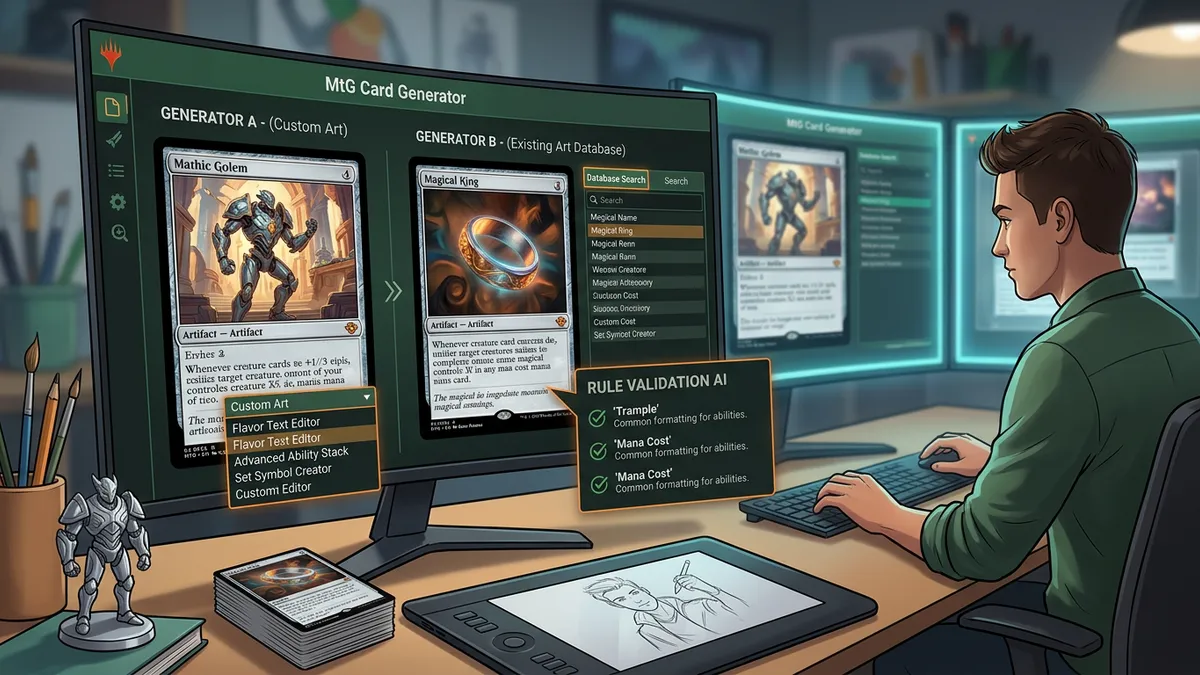
The MTG Card Generator loads with a sample card ready to edit. You'll see two main areas: a control sidebar on the left with three tabs (Details, Style, Art), and a live card preview on the right. Every change you make updates the preview in real time — no render button needed.

Start by entering your card's name and selecting its type from the Card Type dropdown: Creature, Instant, Sorcery, Enchantment, Artifact, Planeswalker, Land, or Saga. Each type automatically adjusts the available fields — Creatures get Power/Toughness inputs, Planeswalkers get a Loyalty field, and Lands hide the mana cost.

Searching Real Cards via Scryfall

Type any Magic card name into the search bar and press Enter to pull real card data from Scryfall's database of 80,000+ cards. The tool imports the card's name, mana cost, type line, oracle text, flavor text, power/toughness, rarity, and art crop automatically. According to Scryfall's API documentation, their fuzzy search matches partial names and common misspellings, so you don't need to type the exact name.

MTG Card Generator interface showing card design controls and live preview

Editing Card Text

The card text field supports MTG's standard ability formatting. Type ability keywords on their own line (like 'Flying, First Strike') and rules text below. Use curly braces for mana symbols in your text: {W} for white, {U} for blue, {B} for black, {R} for red, {G} for green, and numbers like {2} for generic mana. The flavor text field appears in italics below a separator line, matching authentic MTG card formatting introduced in the Alpha set in 1993.

Understanding MTG Card Frames and Color Identity

The Eight Frame Colors

Magic: The Gathering's visual identity is built around its five mana colors, each with a distinct frame style established during the 8th Edition frame redesign in 2003. Our generator includes all standard frame types:

FrameColorTypical Card Types
White (W)Light yellow-creamAngels, Knights, enchantments, life gain
Blue (U)Ocean blueSphinxes, Wizards, counterspells, card draw
Black (B)Dark gray-purpleDemons, Zombies, removal, discard
Red (R)Crimson-orangeDragons, Goblins, burn spells, haste
Green (G)Forest greenHydras, Elves, ramp, large creatures
MulticolorGoldCards using 2+ colors (Niv-Mizzet, Omnath)
ColorlessSilver-grayEldrazi, artifacts without color identity
LandBrown-tanBasic and nonbasic lands

Legendary Crown

Toggle the Legendary checkbox to add the distinctive crown border at the top of the card frame. This visual element was introduced with the Dominaria set in 2018, designed by senior art director Cynthia Sheppard's team at Wizards of the Coast. The legendary crown uses a gradient blend of the frame's accent color toward gold, matching the official design specification.

Rarity and Set Symbols

Select from Common (black circle), Uncommon (silver diamond), Rare (gold star), or Mythic Rare (orange sunburst). The rarity symbol appears on the type line, replicating the position used on official cards since the Exodus expansion in 1998. Mythic Rare and Rare cards also receive a subtle holographic foil overlay effect — a CSS animation inspired by the light-refracting pattern on physical foil cards.

Proxy Cards and Custom Card Design Best Practices

What Are MTG Proxy Cards?

Proxy cards are stand-in replacements for official Magic cards, used for playtesting, casual games, or protecting expensive originals. The MTG Judges Blog clarifies that proxies are acceptable in casual play and that many playgroups encourage their use for testing new decks before purchasing cards. Tournament-legal proxies require head judge authorization under Rule 3.4 of the Magic Tournament Rules.

Our MTG Card Generator creates proxy-quality card images at 3x canvas resolution, producing clear text and sharp frame borders when printed at standard 63mm × 88mm card dimensions. For best results, print on 300gsm cardstock and sleeve over a basic land card for authentic thickness.

Designing Balanced Custom Cards

Mark Rosewater, Magic's Head Designer since 2003 and author of the "Making Magic" column, has outlined key card design principles. His "New World Order" philosophy establishes that common cards should be simple enough to evaluate at a glance, while complexity increases with rarity. When designing custom cards, follow these guidelines:

  • Mana curve consistency — A creature's total stats (power + toughness) typically equals its converted mana cost plus 1-2 for common, plus 2-3 for rare, with keywords like Flying adding about 1 mana of value
  • Color pie adherence — Each color has defined mechanical boundaries. White does not draw cards directly. Blue does not destroy creatures. Red does not gain life. Breaking these rules creates feel-bad designs.
  • The Vanilla Test — Compare your card to a vanilla creature (no abilities) at the same cost. A 3-mana 3/3 is baseline. Your card's abilities should justify any stats above or below that baseline.
  • Flavor alignment — A card named "Ember Phoenix" should have fire-related or resurrection abilities, not lifegain or milling. Mark Rosewater calls this "resonance" — the card's mechanics should match what the name and art suggest.
Custom MTG proxy card examples showing different frames and rarities

Custom Cube Design

Custom cubes are curated draft environments built from hand-picked (and often custom-designed) cards. According to CubeCobra, the largest cube management platform, over 60,000 custom cubes are actively maintained by the community. When designing cards for a cube, ensure the power level is consistent within each rarity tier, signpost cards clearly signal draft archetypes (like "Whenever you cast a noncreature spell" for an Izzet spells-matter theme), and include enough mana fixing to support multicolor strategies.

Mana Symbols, Typography, and Authentic Card Formatting

Mana Symbol Rendering

The MTG Card Generator renders mana symbols as colored circles in the card's mana cost area, matching the design language established by graphic designer Jesper Myrfors for Alpha in 1993. Type mana costs using the standard curly-brace notation: {0} through {20} for generic mana, {W} for white, {U} for blue, {B} for black, {R} for red, and {G} for green. The renderer displays each symbol as a properly colored pip with the correct background color and white or black text for contrast.

Typography and Text Layout

Official Magic cards use the proprietary Beleren font family (designed by Henning Damm for Wizards of the Coast) for card names and type lines, with MPlantin for rules and flavor text. Our generator approximates this with serif fonts that replicate the weight and character spacing of the originals. Rules text renders with 1.35 line-height for readability, and flavor text appears in italics below a thin separator line — replicating the formatting used on every MTG card since Revised Edition (1994).

Power/Toughness and Loyalty Badges

Creature cards display their power/toughness in a dedicated badge at the bottom-right corner of the card frame, using the frame's inner color for background consistency. Planeswalker cards instead show a hexagonal loyalty badge — a shape introduced with the Lorwyn expansion in 2007, when the planeswalker card type debuted with Jace Beleren, Liliana Vess, Garruk Wildspeaker, Chandra Nalaar, and Ajani Goldmane.

Exporting and Printing Custom MTG Cards

High-Resolution PNG Export

Click the PNG button to export your card as a high-resolution image using html2canvas at 3x scaling. The output image is approximately 1050 × 1470 pixels — well above the 300 DPI threshold for quality printing at standard card dimensions (63 × 88mm, or 2.5 × 3.5 inches). The exported PNG preserves all visual elements including frame gradients, mana symbols, legendary crowns, set symbols, and holographic foil overlays.

Printing Tips for Physical Cards

For the best proxy printing results, follow these specifications used by professional custom card services:

  • Paper weight — Use 300-350gsm cardstock for standalone cards, or standard paper if sleeving over a real card
  • Print settings — Set your printer to "Best Quality" and "Actual Size" (not fit-to-page). Color laser printers produce sharper results than inkjet for card borders and text.
  • Cutting — Use a paper trimmer or craft cutter for straight edges. Round corner punches (3mm radius) replicate the authentic MTG corner radius.
  • Sleeving — Place printed proxies in front of a basic land card inside an opaque sleeve. Dragon Shield Matte or Ultra Pro Eclipse sleeves work best for hiding proxy edges.

Sharing and Community Use

Copy your card's text data with the Copy button for sharing in deck builders, forums, or Discord groups. The output follows standard MTG text formatting used by Scryfall, EDHREC, and other community tools. When sharing custom card designs on r/custommagic or MTG Cardsmith, include your design rationale — the community values mechanical innovation and flavor alignment as much as visual polish.

Step-by-Step Instructions

  1. 1Open the MTG Card Generator in your browser — it's completely free with no signup required.
  2. 2Enter a card name in the search bar and press Enter to load real card data from Scryfall, or start designing from scratch.
  3. 3Select a card type from the dropdown: Creature, Instant, Sorcery, Enchantment, Artifact, Planeswalker, Land, or Saga.
  4. 4Type your mana cost using curly-brace notation like {2}{U}{U} — mana symbols render automatically as colored pips.
  5. 5Write your card's rules text and optional flavor text in the text areas. Keywords go on their own line.
  6. 6Switch to the Style tab to choose a frame color, set the rarity level, and select a set/expansion symbol.
  7. 7Toggle the Legendary checkbox to add a golden legendary crown overlay to the card frame.
  8. 8Switch to the Art tab to upload custom artwork or paste an image URL for the card illustration.
  9. 9Click the Random button to generate a randomized card with auto-generated name, stats, and abilities.
  10. 10Export your finished card as a high-resolution PNG by clicking the PNG button, or copy the card text with Copy.

Magic: The Gathering Card Generator — Frequently Asked Questions

Can I print custom MTG cards made with this generator?+

Yes. The PNG export produces images at approximately 1050 × 1470 pixels (3x canvas scaling), which exceeds the 300 DPI threshold for quality printing at standard MTG card size (63 × 88mm). Print on 300gsm cardstock for standalone proxies, or on standard paper to sleeve over a basic land card. Custom cards are for personal and casual use only — not legal in sanctioned Wizards of the Coast tournaments without head judge authorization.

Is the MTG Card Generator free to use?+

Completely free with no signup, account, or API key required. The tool runs entirely in your browser. Scryfall search uses their free public API (which allows up to 10 requests per second). Card generation, customization, and PNG export are all unlimited.

What card types does the generator support?+

The generator supports all 8 major MTG card types: Creature (with Power/Toughness), Instant, Sorcery, Enchantment, Artifact, Planeswalker (with Loyalty counter), Land, and Saga. Each type automatically adjusts available input fields — Creatures show P/T inputs, Planeswalkers show Loyalty, and Lands hide the mana cost field.

How do I add mana symbols to my card?+

Type mana costs using the standard MTG curly-brace notation: {W} for white, {U} for blue, {B} for black, {R} for red, {G} for green, and numbers like {2} or {3} for generic mana. The generator automatically renders each symbol as a colored circle with the correct background color. For example, {2}{U}{U} produces a gray 2 pip followed by two blue pips.

Can I upload my own artwork for the card?+

Yes. Switch to the Art tab in the controls sidebar. You can either paste a direct image URL into the Image URL field, or click 'Upload Custom Artwork' to select a JPG, PNG, or WebP file from your device. Recommended image dimensions are 626 × 457 pixels to fill the art box without cropping. The artwork is displayed in the card preview and included in the PNG export.

What does the Legendary checkbox do?+

Toggling the Legendary option adds a golden crown gradient at the top of the card frame, replicating the legendary border design introduced with the Dominaria set in 2018. It also prepends 'Legendary' to the type line automatically. This visual distinction helps identify legendary permanents at a glance, which is important for Commander/EDH format where your commander must be legendary.

How does the Random Card button work?+

The Random button generates a complete card with a procedurally created name (combining adjectives like 'Shadow' or 'Ethereal' with nouns like 'Dragon' or 'Phoenix'), random mana cost, card type, abilities, power/toughness, flavor text, frame color, and rarity. It's useful for creative inspiration, custom cube design, or quickly generating placeholder cards for game prototyping.

Does the generator work on mobile devices?+

Yes. The layout is fully responsive — on mobile, the controls sidebar stacks above the card preview. All features including Scryfall search, artwork upload, randomization, and PNG export work on mobile browsers. The card preview maintains its 350 × 490 pixel aspect ratio across all screen sizes.

What is the holographic foil effect?+

Cards set to Rare or Mythic Rare rarity automatically receive a subtle animated holographic overlay. Rare cards get a gold shimmer effect, while Mythic Rare cards get an orange-red shimmer. This CSS animation replicates the light-refracting pattern seen on physical foil Magic cards, adding visual authenticity to your custom designs.

Can I search for any real Magic card?+

The search bar uses Scryfall's fuzzy search API, which indexes over 80,000 unique Magic cards across 200+ sets. Type any card name (or a close approximation) and press Enter. The tool imports the card's full data including name, mana cost, type line, oracle text, flavor text, stats, rarity, collector number, artist credit, and official art crop. Scryfall's fuzzy matching handles partial names and common misspellings.

Share this tool: