How Do I Look Up DnD 5e Spells?
You look up DnD 5e spells by typing the spell name into the search bar, which instantly returns the full spell description with casting time, range, components, duration, and effect text.
Spell Details Displayed
Each spell entry shows everything you need for live play: school of magic, level (cantrip through 9th), casting time (action, bonus action, reaction, or ritual), range, components (verbal, somatic, material with specific items listed), duration, and the complete rules text. This is the same information printed in the Player's Handbook when you look up DnD 5e spells.
Over 300 SRD Spells
The System Reference Document includes over 300 spells from cantrips like Fire Bolt and Mage Hand to 9th-level devastation like Wish and Meteor Swarm. Every spell available under the Open Gaming License is searchable here.
How Do I Search for DnD Monsters?
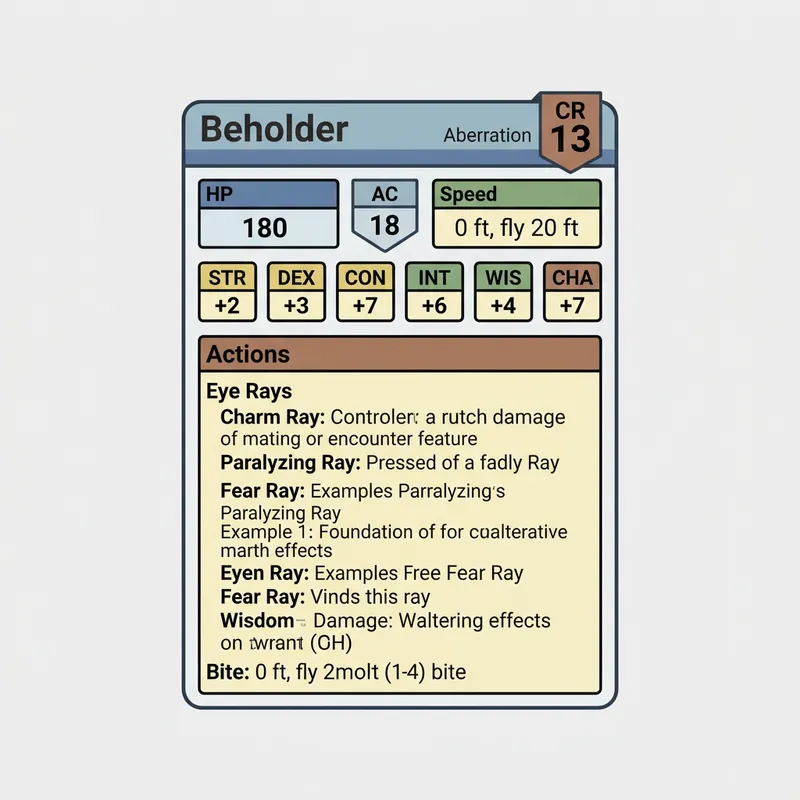
You search for DnD monsters by typing the creature name, which returns the full stat block with challenge rating, hit points, armor class, ability scores, and all actions.
Monster Stat Blocks
Each monster entry includes the complete stat block: type and size, alignment, AC, HP, speed, all six ability scores (STR through CHA), saving throws, skills, damage resistances and immunities, senses, languages, and CR with XP value. This is the exact format used in the Monster Manual when you search for DnD monsters.
Actions and Special Abilities
Below the basic stats, you'll find the monster's special abilities (like a dragon's Frightful Presence or a beholder's Antimagic Cone) and full action descriptions with attack bonuses, damage dice, and special effects. Over 300 creatures from the SRD are available.
Can I Browse Class Features and Levels?
You can browse class features and levels by selecting a class from the search results, which displays the full progression table with features gained at each level.
Class Progression Tables
Each class entry shows the level-by-level feature progression. Fighters gain Action Surge at level 2 and Extra Attack at level 5. Wizards unlock Arcane Recovery at level 1 and new spell slot tiers every few levels. The progression table helps you plan character builds or verify rules mid-session when you want to browse class features and levels.
Proficiencies and Core Mechanics
Class entries also list hit dice, saving throw proficiencies, armor and weapon proficiencies, and starting equipment options. This makes the tool useful for character creation as well as mid-game reference.
Is This Free to Use During Sessions?
This tool is completely free to use during sessions with no account required, no ads blocking content, and instant search results that don't interrupt your game flow.
Session-Ready Speed
Search results appear instantly as you type. There's no loading spinner, no page navigation, and no signup wall. Type "fireball" and the full spell text appears immediately. Type "beholder" and the complete stat block loads. This speed is critical during live play where every second of rule-checking kills momentum when checking if it's free to use during sessions.
SRD Coverage
All content comes from the official 5e System Reference Document published under the Open Gaming License. This covers the core rules, spells, monsters, and class features that form the foundation of every 5e campaign. Homebrew or supplemental sourcebook content is not included.
Step-by-Step Instructions
- 1Open the D&D Spell & Monster Lookup in your browser.
- 2Type a spell name, monster name, or class name into the search bar.
- 3Browse the search results and click on an entry to view full details.
- 4For spells: review casting time, range, components, duration, and effect text.
- 5For monsters: review the complete stat block with CR, HP, AC, abilities, and actions.
- 6For classes: browse the level progression table and feature descriptions.
- 7Bookmark the page for instant access during future sessions.