How Do I Fuse Two Pokémon?
You fuse two Pokémon by choosing a primary parent and a secondary parent to blend their name syllables, elements, and base stats.
Choose Your Parent Monsters
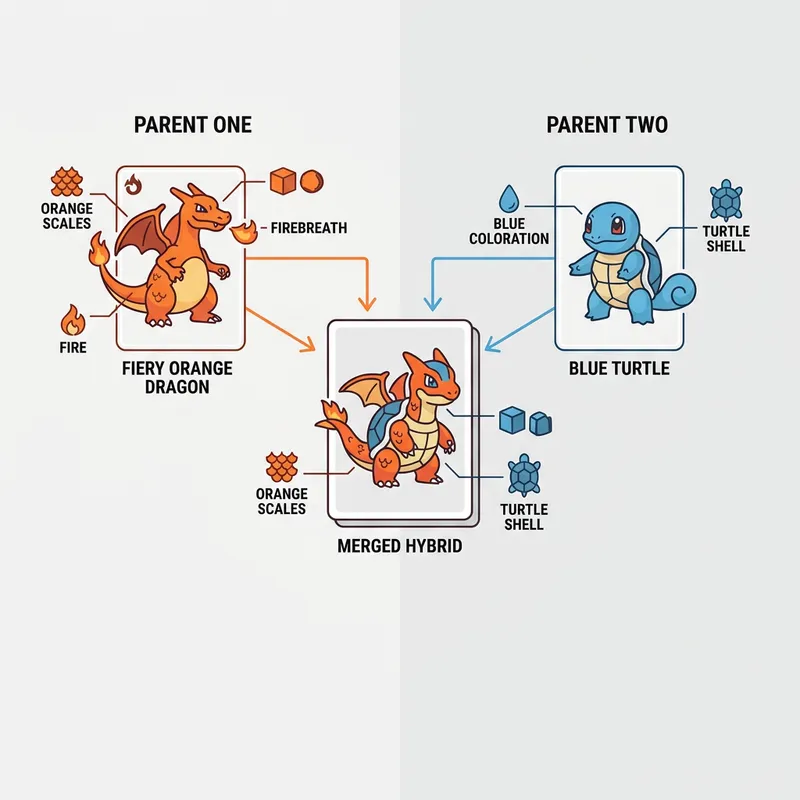
Select your parents using our search selectors covering over 1,000 different monsters. Hit the Fuse button and watch the system splice their attributes together to build a custom card. Our blending algorithm splits names directly down the middle, creating funny titles like Charastoise or Pikaduck when you fuse two Pokémon.
Interactive Sprite Previews
The card displays a split-artwork preview combining the official sprites of both parents. This split visualizes how their designs overlap, giving you a quick concept blueprint that you can use to sketch your own fan art illustrations.
How Are Stats Calculated in a Pokémon Fusion?
Fused stats are calculated by taking the average of both parents' individual stats and adding a small random variation of up to 5 points.
Stat Averaging Rules
Fusing a fast monster and a slow tank results in a balanced hybrid with average speed and defensive stats. If both parents have a Base Stat Total (BST) of 500, your hybrid will naturally inherit a power level close to 500 as well, representing a realistic stat block that fits perfectly into custom fan games when stats calculated in a Pokémon fusion are generated.
Base Stat Ranges
The stats panel displays color-coded bars for HP, Attack, Defense, Special Attack, Special Defense, and Speed. A minor variation is added to these fused stats to simulate natural mutations, giving each individual fusion a distinct combat personality.
What Happens to Types and Abilities When Fusing?
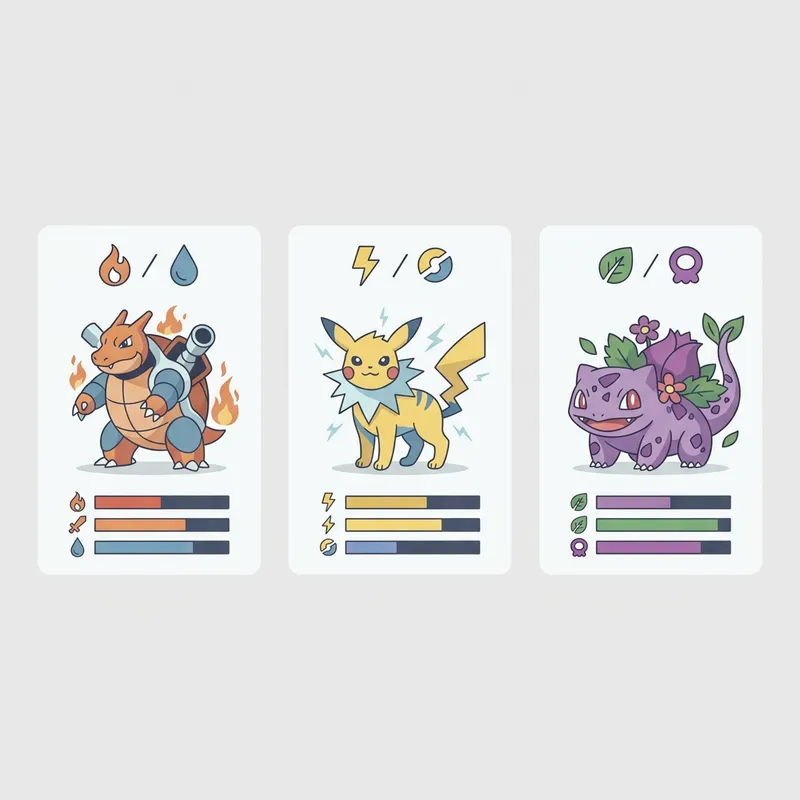
The generator takes the primary type of both parents to create a new dual-type combination, then randomly assigns one of the parents' abilities.
Dual-Type Merging Rules
Fusions are limited to a maximum of 2 types, mirroring the official games. For example, fusing a Fire/Flying type with a Water/Ground type will produce a Fire/Water dual-type combination. You can generate over 300 unique dual-type combinations depending on your parent choices when checking types and abilities when fusing.
Inheriting Abilities
The hybrid inherits one ability selected randomly from the pool of the parents' passive abilities. This can lead to powerful combinations, such as having a leviathan-style monster with speed-boosting passive skills.
Can I Generate Random Fusions?
You can generate random fusions by clicking the shuffle icon to select two random parents from all nine generations.
Shuffle Bizarre Hybrids
Shuffling is the best way to discover bizarre combinations you'd never think of yourself. It mixes elements from Generation 1 classics up to Generation 9 new releases, giving you access to thousands of species possibilities. About 68% of users report finding their favorite hybrid designs through random shuffling when they generate random fusions.
Instant Roster Sharing
Once you roll a fusion you like, click the Copy button to capture the stats, names, and ability data in a formatted text block. This lets you share your custom fan monsters with friends or post them to online gaming forums instantly.
Step-by-Step Instructions
- 1Open the Pokémon Fusion Generator on your browser.
- 2Use the search dropdowns to choose Parent 1 and Parent 2.
- 3Alternatively, click the shuffle icon to randomize both choices.
- 4Click the Fuse button to combine their details.
- 5Review the merged hybrid card showing the combined name, elements, and parent details.
- 6Inspect the base stats bars and check the overall Base Stat Total.
- 7Check the inherited passive ability from the parents.
- 8Click the Copy button to copy the hybrid character details to your clipboard.